Mini App Debug
For Mini App Debug, we support 2 options: Scan Debug QR Code and Manual Config
SCAN QR DEBUG CODE
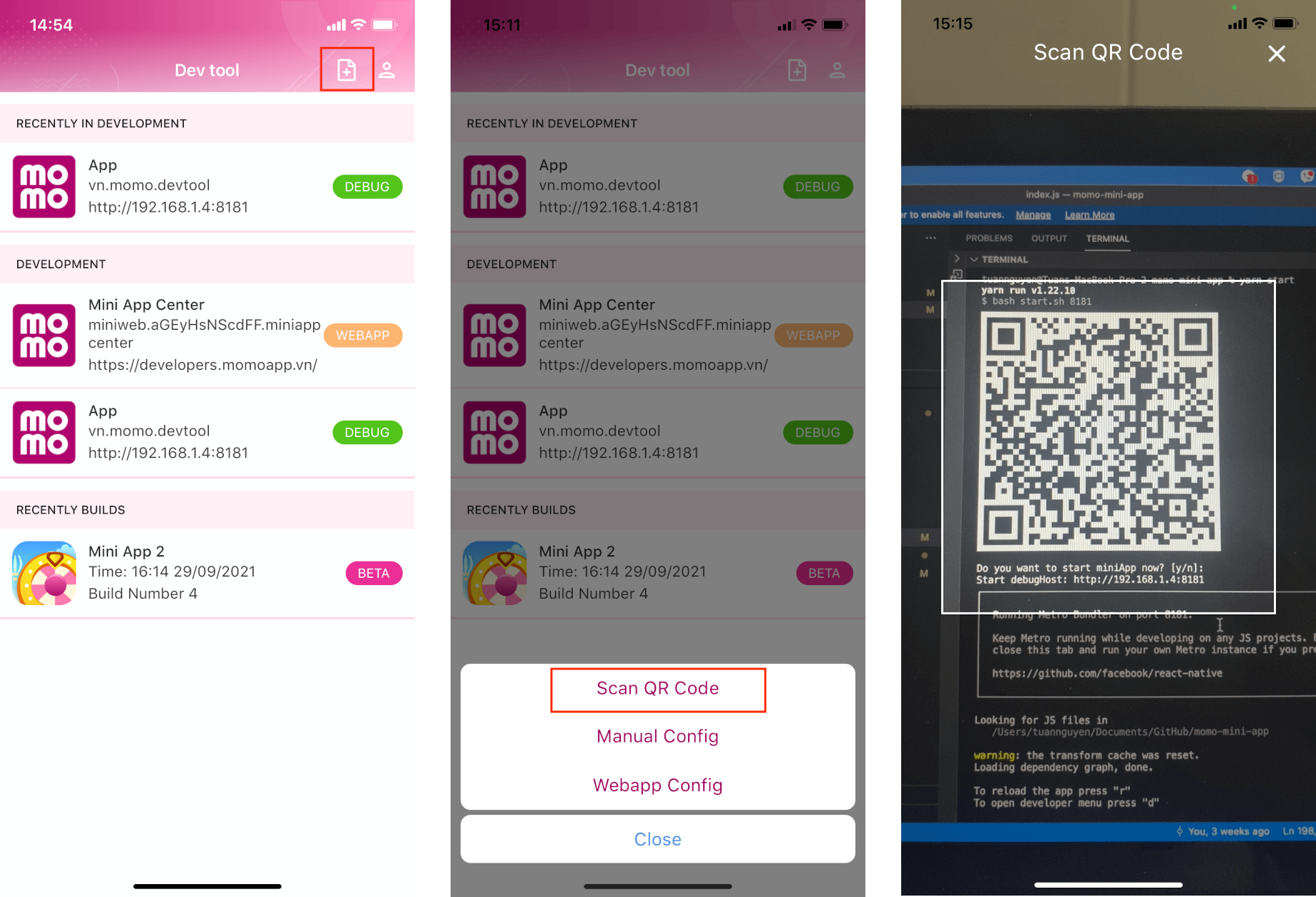
From Devtool main screen, click on icon file on top-right corner. Select Scan QR Code in bottom sheet. Move scanner to scan QR code (Grant permission needed). See image below.
MANUAL CONFIG
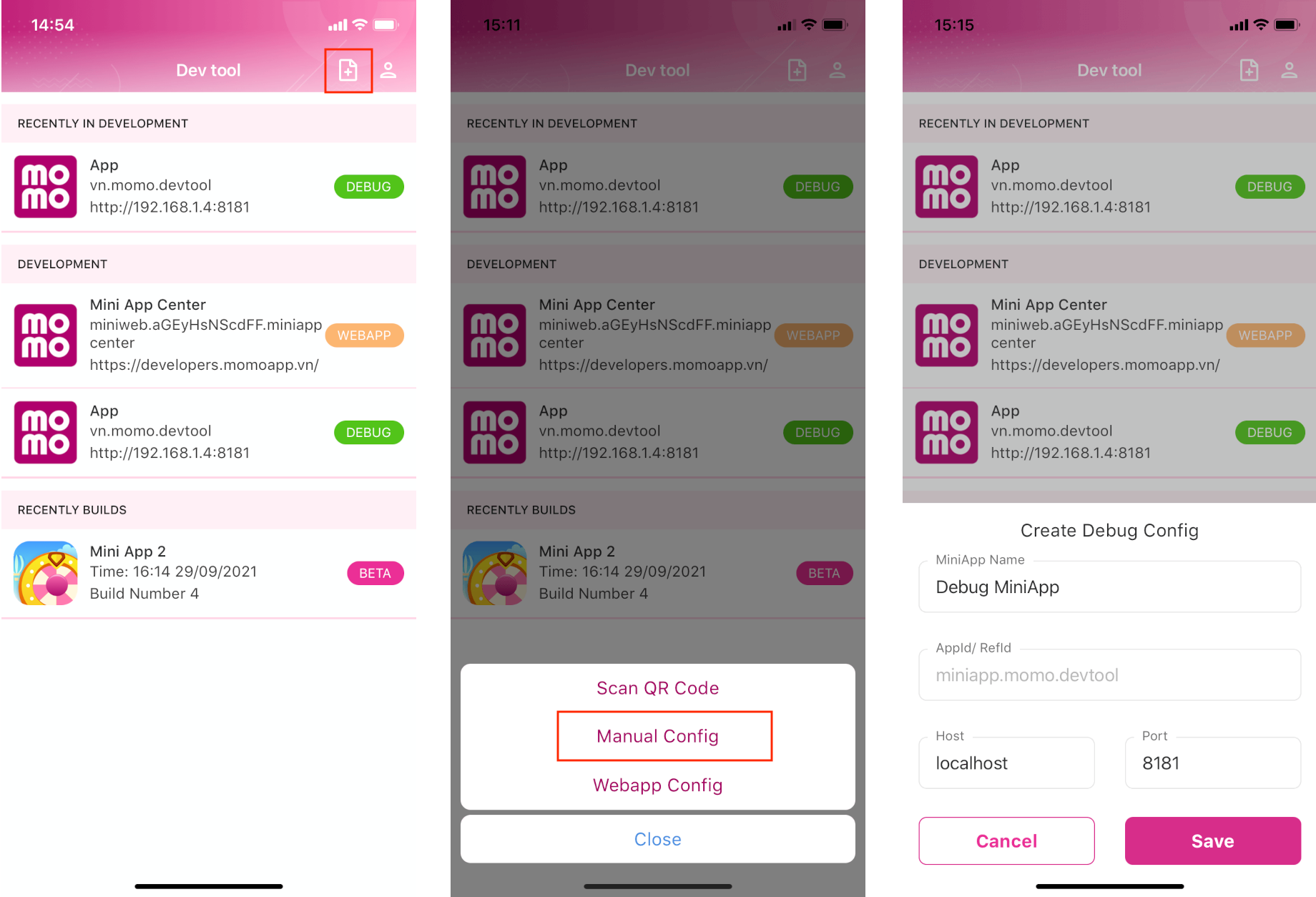
From Devtool main screen, click on icon file on top-right corner. Select Manual Config in bottom sheet. Enter your debug config, you should use appId from app.json configuration file. See image below.